Jarvis Reach offers flexible strategies to keep your leads organized. Learn how to leverage folders and tags to categorize and manage your contacts efficiently.
Folders in Jarvis Reach act like digital filing cabinets, allowing you to group related contacts for specific projects, campaigns, or teams.
How to Use Folders:
Benefits of Folder-Based Organization:
Tags offer a flexible way to add specific attributes or sub-categories to contacts within folders. They are excellent for creating detailed classifications within broader groups.
How to Use Tags:
Tips for Tag Usage:
Benefits of Tag-Based Organization:
Jarvis Reach is designed to keep your contact database clean and efficient. Our smart system actively manages duplicates, ensuring an organized and up-to-date record of your prospects.
Does Jarvis Reach create duplicate contacts if I add them twice? No, our intelligent system automatically identifies duplicates. If you attempt to add the same contact more than once, it seamlessly merges any new information with the existing contact record, keeping your database organized and saving you time and effort.
Are there additional credit charges for duplicates? No, we do not charge additional credits for re-adding a contact that our system recognizes as a duplicate. Once we’ve successfully charged for the original contact’s enrichment, no further credits will be deducted for subsequent additions of that same individual.
Will my contacts be updated if I add them again? Yes, absolutely. Our system will automatically check for and apply any updates to the contact’s information. If there are changes in their role, company details, or other relevant data since the last enrichment, these will be reflected in your Jarvis Reach contact profile, ensuring your data is always current and actionable.
Jarvis Reach offers flexible ways to organize your contacts. If you’re transitioning your lead management strategy from tags to folders, you can easily move contacts to ensure a seamless organizational structure.
How to Move Contacts from Tags to Folders:
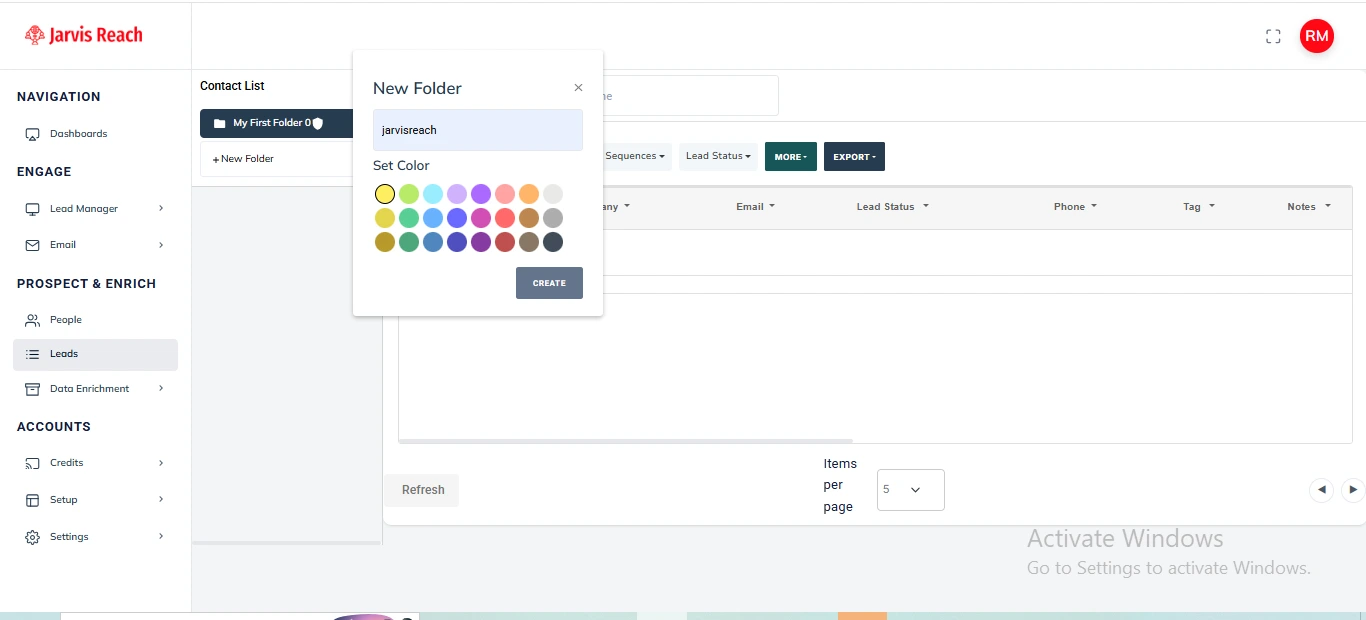
2. Filter Contacts by Tag:
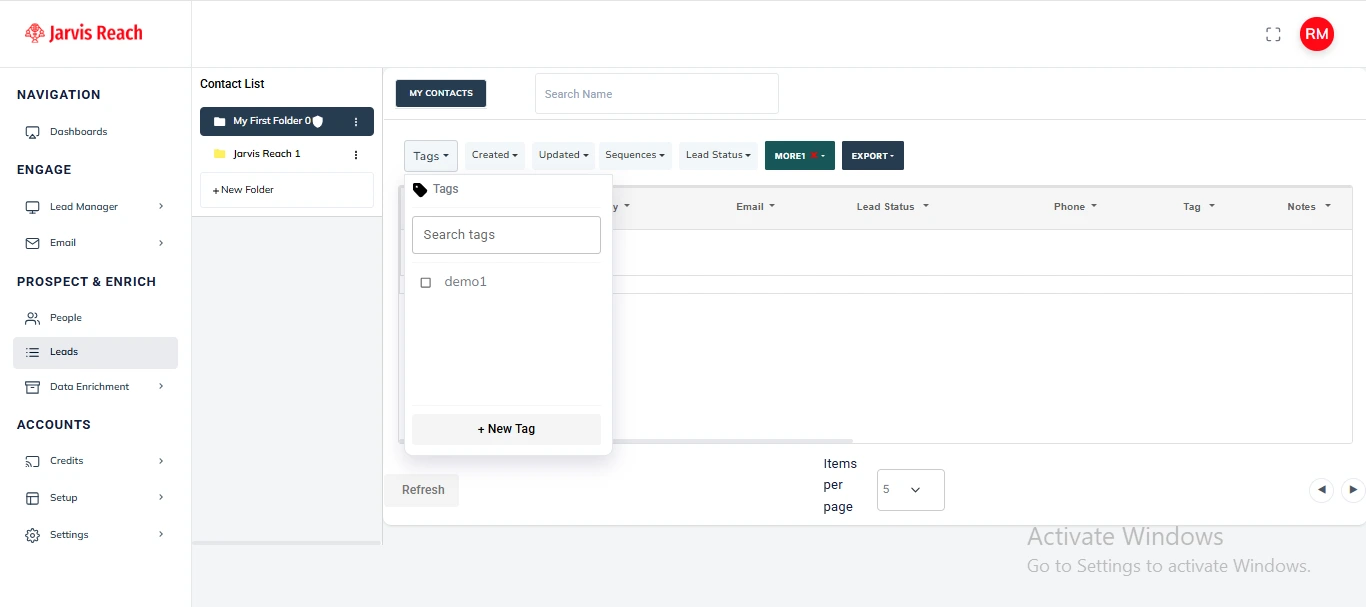
3. Move Contacts to Folder:
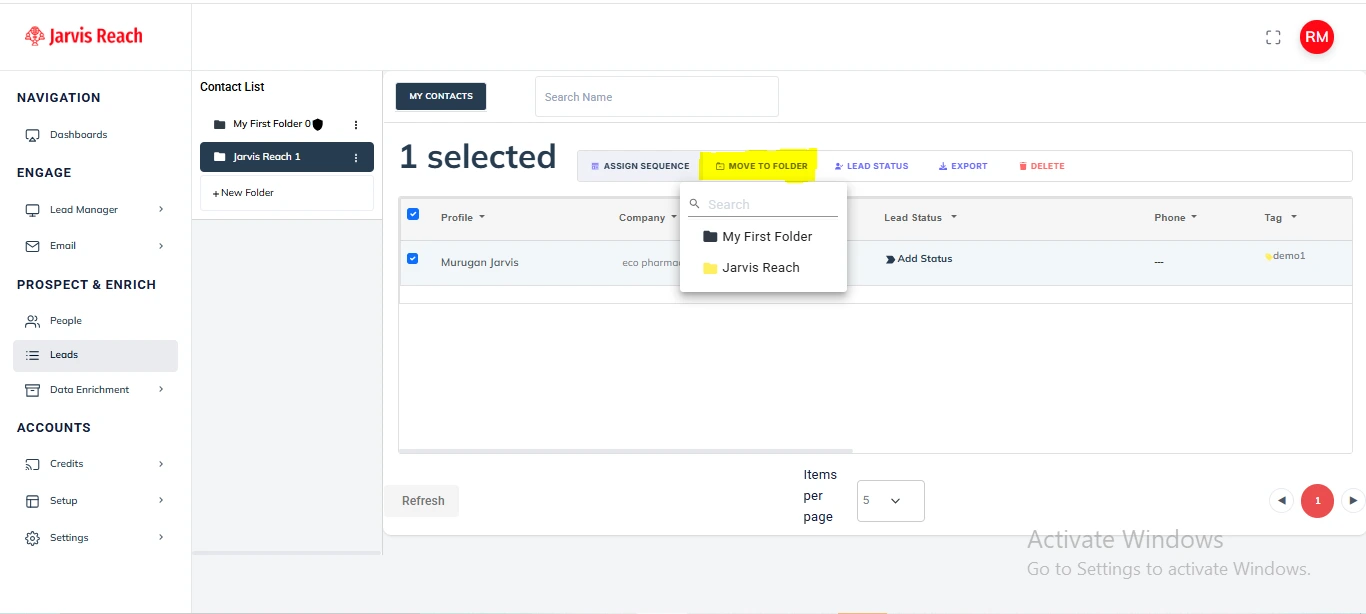
Your contacts are now efficiently organized in their new folder within Jarvis Reach.
Jarvis Reach allows you to take full control over your lead data output. With an active paid subscription, you can precisely tailor your exports, ensuring you get exactly the information you need for seamless integration with other tools and efficient data management.
Important Note on Export Limits:
How to Customize Your Exports:
1. Select Your Leads:
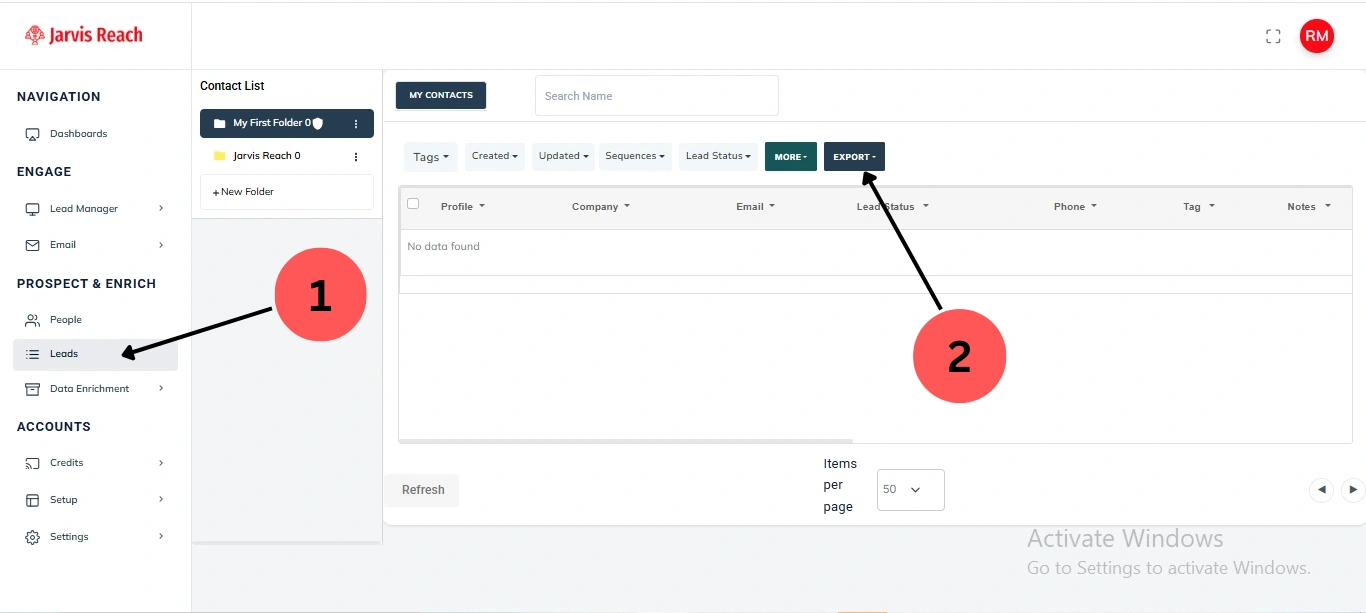
2. Initiate Export:
3. Choose ‘Custom’ Fields:
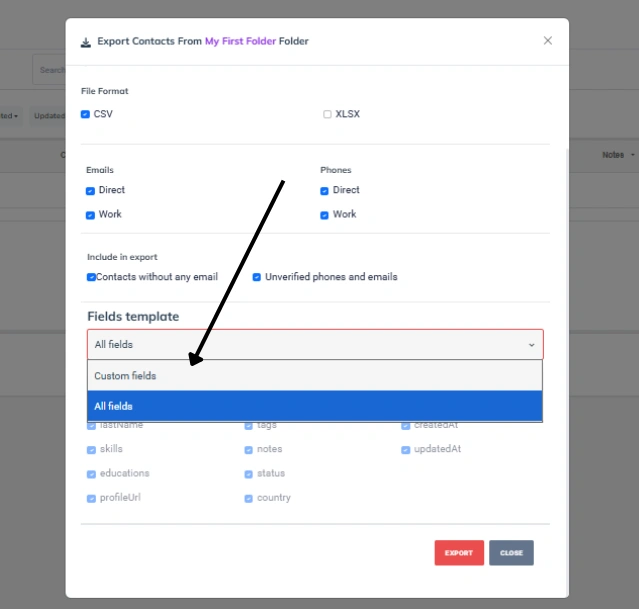
4. Select Desired Fields:
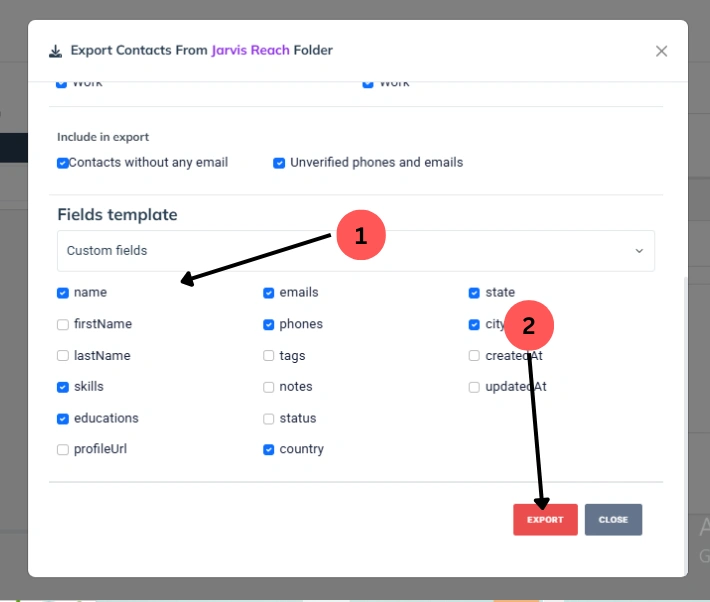
5. Start Export:
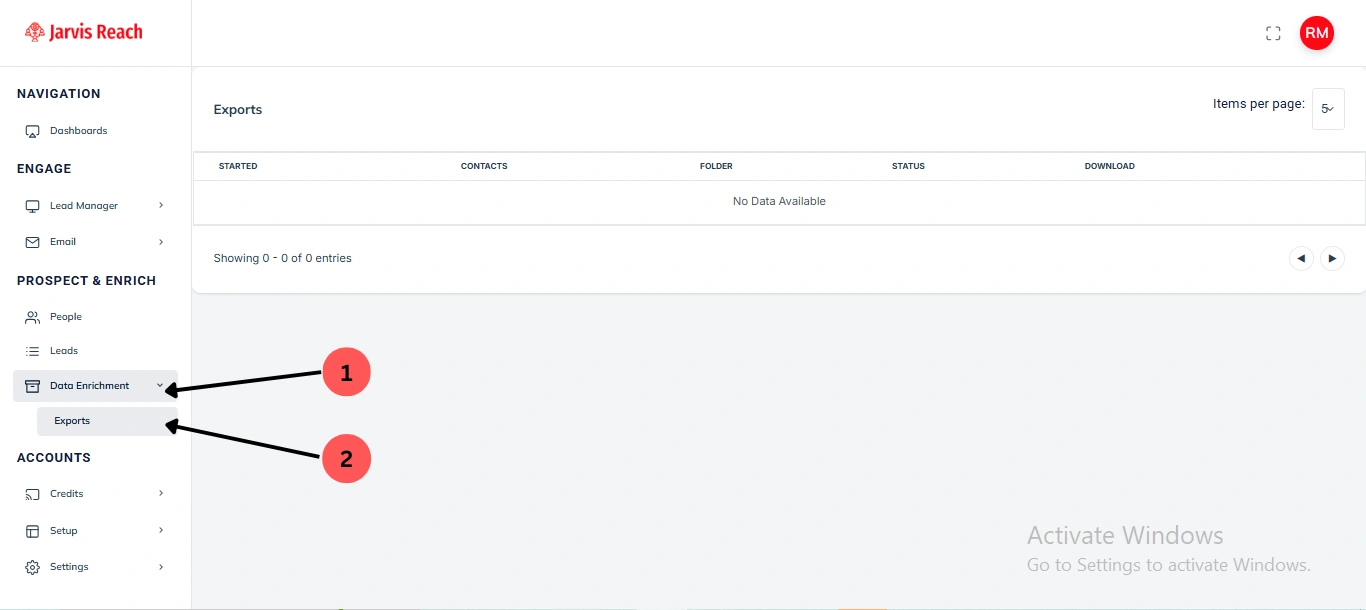
Accessing Your Exported File: Once the export is complete, your customized file will be available for download in the ‘Data Enrichment’ > ‘Export’ section. You will typically receive a notification when the file is ready.