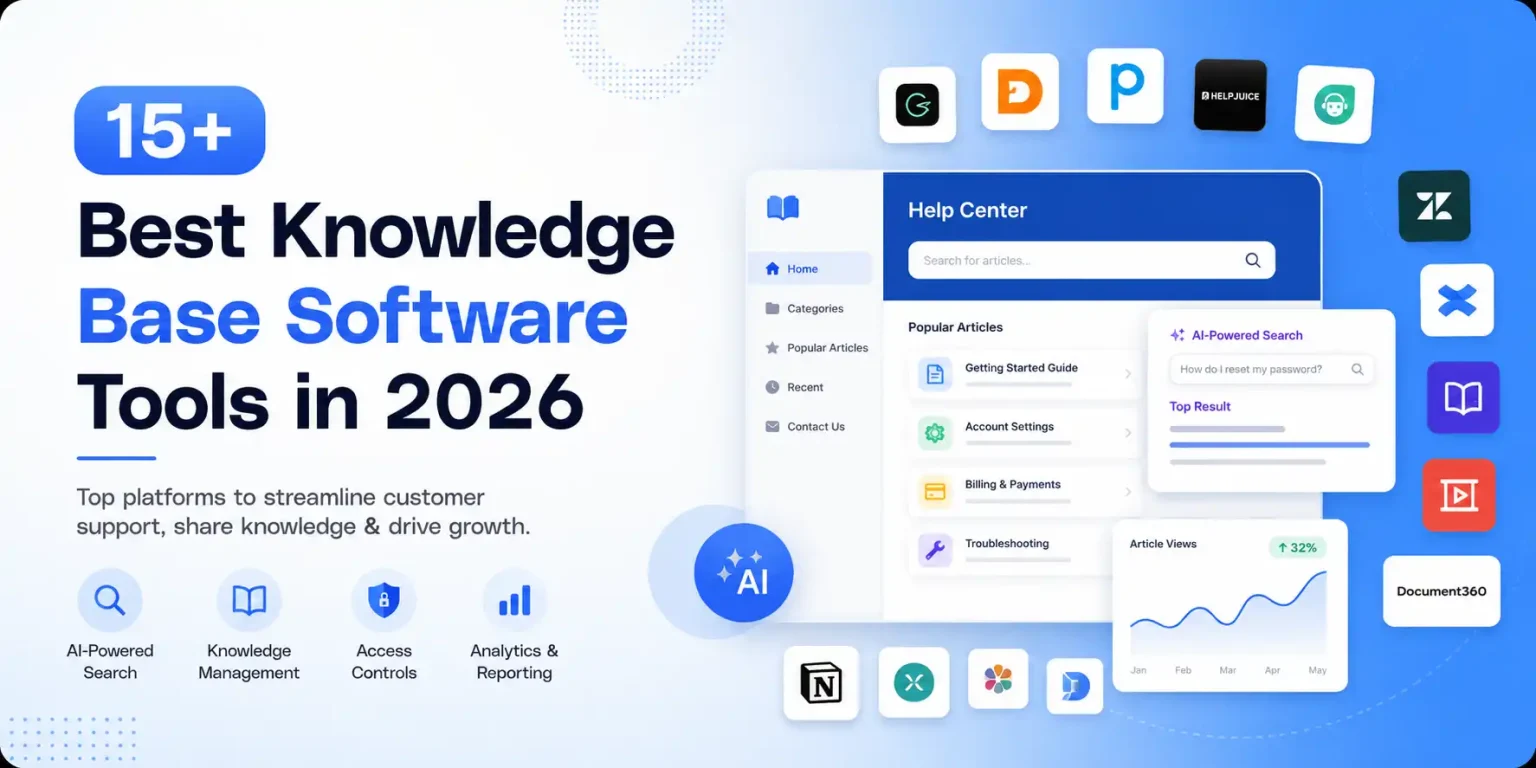
Knowledge base software isn’t just a place to store documents anymore. It is your digital headquarters for FAQs, troubleshooting tips and technical documents. In the race to the digital economy, knowledge is the new currency in 2026. Unless you have it in your hands, it’s just useless data
It’s important to implement dedicated IT knowledge base software for technical teams to cut down on system downtime and resolve technical problems internally on time. The AI-powered search to inform, along with analytics and reporting capabilities of state-of-the-art knowledge management systems, enables them to predict what information your user is looking for. This guide dives into how knowledge base software actually works and why picking the right one really matters.
Top 18 Knowledge Base Software in 2026
The right Knowledge base software management system is determined solely by whether you want to focus on external customer self-service or internal collaboration of teams. Jarvis Reach is advanced B2B sales intelligence software that helps you reach leads by accessing a huge list of verified leads. It includes both lead discovery and lead outreach automation, which makes it easier for your customer support and sales team to equip them with the right information about leads.
Looking to really take your outreach to a new level? Try Jarvis Reach for Free and access 750M+ verified B2B contacts today!
1. KnowledgeBase
KnowledgeBase is an all-in-one, simple, and very specific platform that is developed exclusively for public-facing FAQs or help centers. It’s designed for teams who wish to deploy customer support self-service without having to worry about enterprise configurations.
Key Features:
Drag and Drop Categorization: Quickly categorize help articles and topics into logical categories.
SEO Optimization: Built-in tools make sure your public help center is well ranked on search engines for queries by users.
Rich-Text Editor: A writing environment devoid of too many distractions, useful for creating understandable help.
Pros and Cons
| Pros | Cons |
| • Very quick setup of easy customer support websites. • Works great with LiveChat and ChatBot systems. | •Lacks enhanced team wiki or internal knowledge management. • AI search is restricted to a few options as opposed to that of premium services. |
Pricing:
The KnowledgeBase is offered on a simple project-by-project basis for $59/month per project. This is an optimal configuration for support teams that want the ability to author self-service resources and keep them up to date for customers while avoiding unpredictable per-user support seat pricing.
User feedbacks
The advantage of KnowledgeBase is that it doesn’t require any learning curve, and many users enjoy its ease of use. Customer support managers say that it enables non-technical writers to create guides immediately, though some mention that it might not have sufficient feature-richness for large businesses.
2. Notion
Notion is a highly versatile all-in-one workspace with notes, collaborative documents, and robust task management software, all housed in one modular workspace. It’s now a top option for contemporary businesses creating internal knowledge bases and team wikis.
Key Features:
Notion AI: Definition of an AI tool that can extract summaries from long project histories, write content, and come up with ideas.
Infinite Page Nesting: Hierarchical documents with unlimited nesting (and the ability to link to other documents).
Relational Databases: Record cross-reference, project tracking information, and document everything.
Pros and Cons
| Pros | Cons |
| • Very exceptional real-time team alignment and collaboration. • A workspace that can be customized for convenient merging of docs and workday. | • Can easily go off on a tangent without well-defined structure and formatting guidelines. • Searching in a large enterprise data source might be slow. |
Pricing:
Notion’s costing is extremely easy to navigate. For individual tasks, it’s totally Free for anybody. Teams can select the Plus plan for $10 per user per month (annual billing) that includes unlimited collaborative workspace and blocks.
User feedbacks
Notion has been met with a lot of positive feedbacks by Reddit and G2 users, and everyone is fond of its versatility. Teams like to be able to connect their everyday project planning with their technical wiki, so that the way they go about the project is done and documented together.
3. Confluence
Confluence by Atlassian is the industry leader in corporate knowledge management, which is specially developed for the leading collaboration between engineering, product, and software development teams.
Key Features:
Deep Jira Integration: Connect documentation to technical issues and incident response workflow.
Extensive Template Library: Dozens of pre-built blueprints for product requirements documents (PRDs) and architecture designs.
Granular Access Controls: Enterprise-grade page and space access security for enterprise infrastructure.
Pros and Cons
| Pros | Cons |
| • The undisputed industry gold standard for technical documentation. • Maintains a very clear history of past project decisions. • Easily connects software developers with project managers. | • The dense UI may be confusing and complex for non-technical groups. • Needs upgrading to more substantial search analytics/reporting at higher tiers. |
Pricing:
Confluence has multiple levels of scaling. Gives basic features for Free, up to 10 users. The Standard plan starts at $6.05/user/month, while the Premium plan unlocks advanced analytics and reporting for tracking content utilization.
User feedbacks
Confluence is a “must-have” software tool for all software engineers because it works so naturally with Jira Service Management. But in some instances, marketing and operations folks report a higher learning curve.
4. Obsidian
Obsidian is a local-first, markdown-based knowledge graph that can be treated as an offline second brain. Developers, researchers, and technical writers are especially fond of it because of the speed, data ownership, and absolute privacy it offers.
Key Features:
Interactive Graph View: Make it easy to visually represent internal links and relationships throughout your knowledge base software.
Local Markdown Storage: Files are saved directly to your local computer as plain text, eliminating vendor lock-in.
Vast Community Plugin Library: Thousands of community-developed add-ons to format, sync, and work with a calendar.
Pros and Cons
| Pros | Cons |
| • Unparalleled data privacy, control, and complete offline functionality. • Blazing fast search & indexing of thousands of markdown files. • Highly customizable through a large library of community-built plugins. | • Requires buying an additional sync add-on for collaborative teamwork. • No ability to scale to support public-facing help centers. |
Pricing:
Obsidian is 100% Free for personal use and self-directed learning. In corporate environments, a Commercial License is available at a $50/user/year fee, allowing the use of the application in the corporate environment.
User feedbacks
Obsidian is a beloved technical power user application. They like its speed and privacy, but teams find that it is tricky to learn and use it efficiently as a team throughout a shared business.
5. Document360
Document360 is an enterprise-grade platform designed from the ground up for creating precisely structured, multi-version help centers. It is notable for its advanced use of “Eddy,” a sophisticated AI assistant for self-service optimization, in 2026.
Scaling up globally means localizing across countries is essential for securing customers. CSA Research on behalf of Enrich Labs found that 76% of online consumers strongly prefer to buy products or interact with platforms that provide self-service information in their native language.
Key Features:
“Eddy” AI Assistant: You can have context-driven, conversational responses with natural language processing over your documentation.
Dual Editor Support: Seamlessly switch between a clean Markdown editor and a visual WYSIWYG editor.
SEO & Localization Tools: In-built meta tag manager, keyword analysis, and multi-language translation management.
Pros and Cons
| Pros | Cons |
| • Advanced analytics and reporting will give an audit trail of article performance. • Architecture is extremely secure and has strong SOC 2 compliance. • Makes it easier to track changes in multi-version documentation of complex and evolving software. | • Does not have a dedicated native mobile application for content editing on the go. • Premium features cost a lot and might be difficult to afford for small startups. |
Pricing:
Document360 makes use of a tiered, project-based approach. The base subscription tiers begin at $149 per project per month (billed on an annual basis) and progress through to higher-tier enterprise pricing, based on the number of data storage, version control, and AI capabilities required.
User feedbacks
Document360 is a popular choice for customer support executives when it comes to external knowledge base software. The AI assistant “Eddy” is found to be very effective at redirecting customer support tickets, providing users with accurate answers prior to human contact.
6. Slab
Slab is an in-house wiki solution that values an incredibly clean and distraction-free writing experience, together with a unified search throughout all of your company’s ancillary apps.
Key Features:
Unified Search Extensibility: Search across multiple apps, including Slack, GitHub, and Google Drive.
Slab Topics: An easy-to-navigate and folderless organizational system that eliminates the duplication of information.
Real-Time Collaborative Editor: A quick and streamlined editor that never lets clarity and readability slip away.
Pros and Cons
| Pros | Cons |
| • A clean and attractive interface that will help the team adopt the application instantly. • Seamlessly breaks down silos of information within the business with its single index engine. | • Not designed to be used as an external customer support or a portal software. • Automated workflows based on Lacks complex data formatting. |
Pricing:
For fast-growing enterprises, Slab offers a low-investment start. Up to 10 users can use it for Free. The Startup plan, which rises to $6.67/user/month for expanding companies, offers increased security features.
User feedbacks
Slab is often touted as a boon to teams that have been moving off of overcrowded old wikis. Minimal layouts make staff members far more inclined to document their processes and maintain the internal knowledge, according to managers.
7. Bloomfire
Bloomfire is dedicated to eliminating knowledge silos in the corporate world and translates multimedia content, such as video-based training materials, webinars, and audio files, into a searchable format just like text documents.
Key Features:
AI Video Transcription: Transcribes audio from videos and provides a way to navigate to the specific second of the video where a term is spoken.
Q&A Community Engine: Staff can ask questions and get answers by crowdsourcing from internal subject matter experts.
Bulk Content Management: Advanced curation tools for efficiently managing large volumes of legacy data, such as archiving, refreshing, and tagging.
Pros and Cons
| Pros | Cons |
| • Unparalleled video training and sales capabilities. • Superb “social feed” design that naturally drives more users. | • No public, transparent platform pricing – requires a custom quote. • Can be too “heavy” for teams that require simple wikis. |
Pricing:
Bloomfire does not offer set pricing for off-the-shelf solutions. They are only available for Custom Enterprise Pricing and are customized to the user volume, data storage, and scope of the organization’s implementation.
User feedbacks
Bloomfire has received a great deal of positive feedback from enterprise learning and development (L&D) professionals. They highlight the ease of remote sales and customer support associates being able to readily find video walkthroughs and deep-dive technical information.
8. Tettra
Tettra is a purpose-built internal knowledge base software that integrates seamlessly into Slack. It is intended to save, structure, and formalize “tribal knowledge” before it is inevitably lost in the rapidly moving history of chat.
Key Features:
Slack Knowledge Requests: Create a Knowledge Article from a message in Slack that can be picked up by another person to write.
Expert Verification System: Establish regular review dates for the verification of the accuracy of the content of an article by internal experts.
Google Drive Integration: Google Doc files can be searched and referenced directly from their Tettra wiki interface.
Pros and Cons
| Pros | Cons |
| • Excellent at picking up information without being documented from regular Slack conversations. • High content accuracy maintained via mandatory expert review intervals. | • The formatting and style options are limited and inflexible. • Not intended to be a public, customer-facing customer support site. |
Pricing:
Tettra is Free with the essential Slack features for up to 10 users. They have a tiered Scaling plan, starting at $12/user/month with additional features like access controls, advanced search metrics, and expanded integrations.
User feedbacks
Tettra can be a huge time saver for fast-growing startups that are using Slack. The “knowledge request” function, according to users, lifts the friction from having an internal wiki since it encourages their team members to write answers just when they ask.
9. Knowmax
Knowmax is an enterprise-class knowledge platform designed with a specific focus on cognitive decision-making in large contact centers. It is great at transforming complicated corporate compliance and product policies into visual workflows.
Key Features:
Interactive Decision Trees: Take agents through troubleshooting steps based on customer responses in a step-by-step manner.
Visual How-To Guides: Operational guides with pictures to assist reps in identifying hardware states and software states.
Omnichannel Content Distribution: Push one verified piece of knowledge into the chat portal, agent desktops, and self-service nodes.
Pros and Cons
| Pros | Cons |
| • Significantly cuts down on incident response time and training for agents. • Can convert compliance and regulations into easy-to-see steps. | • Requires much start-up effort to develop detailed decision trees. • If you’re a small business seeking a simple company wiki, it’s overkill. |
Pricing:
Knowmax offers a pricing model that is custom, rather than generic, and is based on a significant number of active call-center agent seats, API calls expected, and other custom system integrations.
User feedbacks
Knowmax receives excellent marks in the areas of telecommunications, banking, and logistics contact centers. Support executives report a major drop in average handle time (AHT) and a dramatic spike in first-contact resolution (FCR) after mapping out their troubleshooting logic.
10. Nuclino
Nuclino is an ultra-lightweight, real-time visual collaboration platform. It is the ‘collective brain’ for teams, removing unnecessary software bloat to concentrate purely on speeding up the creation of documents and visualising them side-by-side.
Key Features:
Multi-View Layouts: See the same information in List, Board, Table, and interactive Graph views at the same time.
Real-Time Collaborative Editing: Several team members can build documents concurrently, without conflicts.
50+ Rich App Embeds: Live-sync displays from Miro, Figma, Loom, and Google Maps are integrated into internal articles.
Pros and Cons
| Pros | Cons |
| • Very fast (and light) with near-zero latency or page lag. • Easy to follow links within documents using the visual “Graph View”. | • Lacks a full range of analytics and reporting to keep track of internal search history. • Requires external help portals to be mapped to the site (not native). |
Pricing:
Nuclino has a flexible pricing entry track. The software is Free, but with limited workspace storage. Their enhanced version of Standard begins at $5/user/month, and includes admin user controls, complete version histories, and increased storage.
User feedbacks
Nuclino’s board views are a favourite among product and design teams as they enable them to engage with their documentation as a piece of an agile workflow. Users often remark how quick the software is, especially compared to more complex enterprise solutions.
11. Zendesk
Zendesk Guide is a business-leading solution for companies that would like to have their knowledge base software seamlessly integrated into their core customer support ticketing solution.
Key Features:
AI Answer Bot: Before the creation of a ticket, automatically displays relevant help center articles to users within chat widgets.
Ticket-to-Article Workflows: Support agents can convert a typed response to an email with one click to a knowledge base software article.
Multi-Brand Support: Administer different, differently-branded customer support help centers from one administrative console.
Pros and Cons
| Pros | Cons |
| • Easy integration with the wider Zendesk ticketing solution. • Enhances top-notch customer self-service with AI suggestions to automate. | • If you only require the knowledge base part, it may be a costly service. • Front-end web coding is needed for advanced visual customization of the portal. |
Pricing:
Zendesk Guide comes with the Zendesk Suite, which begins at $55/agent/month (billed annually). It is a full-scale ecosystem, which is suitable for specific support departments.
User feedbacks
The tracking metrics are consistently high marks for Zendesk Guide, according to customer experience (CX) directors. The ticket-to-article process keeps their external help center up-to-date with actual customer problems, which teams note is a positive thing.
12. Onyx (formerly Danswer)
Onyx is an AI-powered, open-source knowledge platform designed to provide a private, secure “ChatGPT-like” conversational experience throughout all internal apps and files of a company.
Key Features:
AI-Powered Search & Chat: Ask natural language questions, and receive a synthesized answer with direct quotes in the source documents.
30+ Native Enterprise Connectors: Securely indexes files from Slack, Confluence, Google Drive, Notion, and local servers.
On-Premise Privacy Configurations: Can be fully deployed behind your private company firewall/could instance.
Pros and Cons
| Pros | Cons |
| • Enables the staff to engage in a conversation with information to get answers. • Ensures data security with the ability to host flexibly. | • Requires developer expertise for deployment, hosting, and maintenance of the open-source version. • Admin interface is still in development relative to the old platforms. |
Pricing:
Onyx’s main platform is 100% Free and open source on GitHub. The Enterprise Cloud is priced at Custom Pricing tiers for companies that are looking for managed hosting, single sign-on (SSO), and premium support.
User feedbacks
DevOps engineers and security-conscious IT directors highly praise Onyx. They enjoy that it offers a smart conversational agent in the outdated, unorganized company file without sharing internal information with external AI training algorithms.
13. Motion
Though mostly an AI calendar and scheduler, Motion’s integrated task management software features allow project documentation to be directly tied to an employee’s daily calendar.
Key Features:
AI Scheduling Engine: Automatically creates and prioritizes a person’s daily schedule according to task deadlines.
Contextual Task Documentation: Upload step-by-step documentation, standard operating procedures, and notes to a calendar event.
Automated Project Tracking: Alerts when there is missing information or tasks are being delayed that could cause a project to miss its deadline.
| Pros | Cons |
| • Maintains internal knowledge in relation to practical tasks and schedules of the daily activity. • Ideal for fast-moving teams seeking to break down document silos. | • Lacks a traditional knowledge base – no public self-service portal. •A reasonable price if your team just requires standard document creation software. |
Pricing:
Motion’s individual plan will cost $34/month, while their Team Plan will cost $19/user/month (billed annually) for team use, enabling shared workspace tracking and centralized project spaces.
User feedbacks
Motion’s automated scheduling options are a freelancer’s and agile agency team’s best friends. Users say it is not a substitute for a major knowledge base software such as Confluence, but it is great for keeping project briefs from getting lost or forgotten.
14. Slite
Slite is a simple, elegantly designed knowledge management application for modern remote and distributed teams. It is based on a very sophisticated machine learning that ensures content is up-to-date and searchable.
A behavior study by Slite found that 47% of all content within a company’s knowledge base is generated by the business’s top 1% of all registered users. On the other hand, the data reveals that about 76% of all registered team members are passive consumers and never create or author any documents.
Key Features:
Ask AI Engine: Natural language search, which can scan your entire company wiki and produce structured answers with footnotes.
Automated Freshness Alerts: Notifies users when documents are not recent enough, maintaining relevance.
Smart Collections: Organize documents automatically by type of tag, by author, or by team section.
Pros and Cons
| Pros | Cons |
| • Simple, clean writing interface which offers a superb user experience. • Powerful AI-powered search, which is knowledgeable about natural intent. | • Frequent native integrations with external customer help-desk ticketing systems. • Document layout structures may be constraining for very customized wikis. |
Pricing:
Slite maintains simple pricing. They come with a basic free trial and then the Standard plan, which has a monthly rate of $8/user/month (paid annually), and includes full AI capabilities, unlimited documents, and tracking of analytics.
User feedbacks
Slite is always a favourite of remote groups as a very accessible corporate wiki. The “Ask” AI reduces hours of manually searching for answers and brings them to the forefront, even with an unorganized team folder structure, said reviewers.
15. Zoho Desk
Zoho Desk is an affordable help-desk system, including an easy-to-find knowledge base software. It is designed to help small and mid-sized businesses grow their public customer support capabilities without incurring high costs.
Key Features:
Zia AI Auto-Tagging: Every incoming help article will be automatically analyzed, and a proper keyword tag will be added to make the article more discoverable in the search.
Custom Domain Mapping: Brand Public Self-Service Help Centers with your own website URLs by using Custom Domain Mapping.
Multi-Department Structuring: Launch different internal knowledge modules or external knowledge programs in various branches of the company.
Pros and Cons
| Pros | Cons |
| • Excellent value for money for an end-to-end support system. • Seamless, Native integration with the vast Zoho CRM Software ecosystem. | • The look and feel of the administrative UI is a bit old-fashioned compared to newer applications. • The basic article editor is dependable and not too well designed as far as editing layout. |
Pricing:
Zoho Desk provides easy access, even with a simple free version. Paid plans with the built-in knowledge base software begin at something like $8/agent/month (annual billing).
User feedbacks
Zoho Desk is already loved by small businesses and companies that employ Zoho applications. Customers highlight that the domain mapping and search optimisation features make it a cost-effective alternative to appear professional to customers.
16. Archbee
Archbee is a specialty knowledge management system designed for product development and engineering companies. It aims to simplify writing and maintaining technical documentation, system architectures, and API references.
Key Features
- Native API Reference Rendering: Import and visualize live Swagger or OpenAPI specifications as part of regular text articles.
- Inline Code Editors: Code snippets (multiple languages) with syntax highlighting and visualization of direct code execution.
- Custom Domain Publishing: Rapid and responsive hosting for publishing developer portals, public product manuals under your domain.
Pros and Cons
| Pros | Cons |
| • Connections between technical product documentation and live code repositories. • Highly reliable and speedy markdown compiler, tailored for code snippets. | • The UI can be too technical for non-engineering departments. • Base rates for small teams who require only a text wiki are high. |
Pricing:
Archbee’s pricing is flat, based on tiers. Their Growth plan begins at $99/month, and provides multi-version control and custom domains. For larger teams needing advanced single sign-on (SSO), the Scale plan starts at $299/month.
User feedbacks
Archbee is rated high by technical writers and product managers because of its speed. They are great for development teams because they can host product documentation and interactive API references in the same place, all in one, without having to build a custom doc site.
17. Stack Overflow (for Teams)
Stack Overflow for Teams brings the popular, widely relied upon public Q&A format that millions of software engineers around the world already know and love, and brings it to a private and secure corporate environment.
Key Features
- Asynchronous Q&A Engine: Ask questions publicly in the company, post answers and solutions to them by your colleagues.
- Community Voting & Upvotes: The top, most current responses are voted on, so that the best responses are brought to the surface first.
- Content Health Auto-Tagging: Automatically flags answers that may need a refresh based on system age or low engagement.
Pros and Cons
| Pros | Cons |
| • Solve outdated document problems effectively through community-voted answers. • Instant developer adoption due to using the public site daily. | • Not designed for long operational manuals or employee handbooks. • Needs to be established in a community with a critical mass of active interactions. |
Pricing:
Stack Overflow for Teams is a FREE solution for up to 50 users with standard Q&A features. They charge $6.50/user/month for their premium Basic plan, which includes long-form articles, and community analytics can be purchased for an additional $13.50/user/month on the Business plan.
User feedbacks
As per the engineering leaders, Stack Overflow for Teams minimizes repetitive questions in the chat channels. Tech teams love it when they can identify a solution to a complex coding problem without having to wait for a senior engineer to respond to them one-on-one.
18. Docsie
Docsie is an AI-powered, high-performance documentation platform that is ideal for large businesses with complex product documentation and multiple versions and languages.
Key Features
- Docsie AI Translation Engine: Translates documentation from one language to another (automatically into dozens of languages, preserving formatting and code snippets).
- Multi-Version Control: Control multiple versions of documents at the same time (For example, maintain v1.0 instructions while developing v2.0).
- Dynamic Website Embeds: In-level embedding of specific help articles or entire user manuals into your Web applications, using low-bandwidth script plugins.
Pros and Cons
| Pros | Cons |
| • Strong localisation processes that are specifically designed for international products. • Supports teams to handle several concurrent versions of a handbook with ease. | • Advanced multi-version control system, making it steeper to learn. • The editor interface is a little restrictive with custom visual layout. |
Pricing:
There are scalable tiers for corporate use of Docsie. The Startup plan starts at $49/month for small teams. Their complete Business plans range from $149 to $699/month, depending on the version tracking, localization, and administration requirements.
User feedbacks
Docsie is highly rated by SaaS product managers and manufacturing companies for international deployments. Users note that the ability to update a master manual and propagate changes across multiple localized versions is a huge translation coordination time saver.
The Attributes and Kinds of Knowledge Base Software
There are many different ways to do knowledge base software, depending on who needs access to the data and where the data is stored.
Diverse Architectures
Companies need to pick security frameworks according to the size and needs.
- Internal Knowledge Base:
These include employee onboarding materials, HR policies, and technical troubleshooting information, all in one place for knowledge management.
- External Knowledge Base:
These are public portals packed with guides to assist customers in troubleshooting problems without contacting customer support.
- Cloud-Based (SaaS):
Scalability and the ability to access from anywhere without infrastructure burden were the preferred options in cloud-based platforms.
- On-Premises:
If the data control is non-negotiable like in finance or regulated industries, on-premises gives you that extra grip.
- Hybrid Models:
Both of the above. Some data is stored on site, some is cloud-based for easy access.
What’s New in 2026?
It’s been a huge year for knowledge base software. We’ve moved beyond static articles; now it’s all about “Active Knowledge.”
Agentic AI and Automation
The most significant update is the transition from passive archives to proactive assistants.
- Article Generation:
AI now reviews customer support chat conversations and creates new knowledge articles based on recurring issues. No more endless manual writing.
- Semantic AI-Powered Search:
Search engines process user queries by applying natural language processing (NLP) to understand intent and deliver the right results.
- Cross-Channel Knowledge Sharing:
When it comes to the knowledge management system, the customer asks a question in Slack, Discord, or right on your site, they’ll see the same info.
- Real-Time Content Verification:
AI is capable of recognizing articles with information or facts, to ensure the track record is at a high level.
How People Engage with Knowledge Base Software?
You can’t just launch a knowledge base software and let it do it’s work. You have to look at what’s working and what’s not and keep improving.
Optimizing with Insights
It’s a feedback loop: create, review the data, refine, repeat.
These applications are built around user-friendly dashboards, which enable the user to search for the information or add new knowledge. The magic lies in the analytics and reporting, though. Looking at the top and most commonly Googled articles and searches with “no results” can give you an idea of what you’re missing. Link these tools to your task manager, and you can assign updates or create new content right where it’s needed. In this manner, your knowledge management approach expands with your product.
Security and Accessibility
With data privacy laws tighter than ever, it’s not just about what content you have, but who can see it.
Protect Your IP
Security is one of the most crucial aspects of any knowledge base software.
- Restrict access to files: Not every file should be public. Modern tools can be configured not to share confidential information (including incident response guidelines) with the wrong persons.
- Permissions-Aware Search: If you don’t have the right clearance to see a document, then it will not show up in your AI-powered search.
- Accessibility for All: 2026 tools are designed ‘mobile-first’ and are screen-reader compatible, making your Customer Support Knowledge Base accessible for all.
What to Look for in Knowledge Base Software
The best tools are simple, fast and as automated as possible. You don’t want to spend your days just organizing files, you want to help people and yourself find answers. Here’s a core checklist of functionality:
Core Functionality Checklist
- Search: Make sure the search box provides autocomplete and spell-check.
- AI Content Help: Check if there are tools that can shorten the article or alter your voice to make it more valuable.
- Robust Analytics and Reporting: You want to be able to track record of which articles are deflected tickets and are being used by your customer support agents.
- Integration with Task Management Software: You might need to create a “task” for a writer to write about it.
- Language Support: If your organisation is multilingual, your knowledge management and task management software will need to be too.
How to Test Each Tool
Don’t buy a car without a test drive. Nearly all 2026 vendors provide free trials.
Your Testing Strategy
- Test the User Interface: Is it easy for a non-IT person to navigate?
- Search Documents: Add some documents and see if the AI search will find specific words or phrases.
- Test Access Controls: Set up multiple user roles to see if you can control access to sensitive information.
- Integration Sync: Connect the tool to your CRM or Slack and see how quickly information flows between them.
- Analytics Check: Check if the analytics and reporting deliver insights or just “pretty numbers”.
How to Choose the Best Knowledge Base Software
The best knowledge base software is one that fits your needs and budget.
Key Factors for Decision Making
- Use Case: Will it be an internal wiki or an external support help center?
- Team Size: For instance, some knowledge base software (such as Jira Service Management) is aimed at larger teams, while others (such as Notion) are aimed at smaller teams.
- Budget: Flat rate or “per user” (costly).
- Technical Skill: Do you want a “no code” solution, or something that can connect to custom CSS or APIs?
Benefits Across Industries
The implementation of high-quality knowledge management provides measurable ROI across various sectors.
Industry-Specific Gains
- Finance: Speeds up compliance and gives agents ready access to highly technical loan processes.
- Medicine: Minimises healthcare errors by offering doctors instant access to disease protocols and incident response procedures.
- Manufacturing: Enables workers on the ground to access repair and safety procedures on mobile devices.
- Software-as-a-Service (SaaS)/Tech: Revolutionises the track record of customer support by resolving technical issues.
Conclusion
Selecting the right knowledge base software is an investment. Centralising information, adopting AI search and using analytics and reporting to track record performance can make customers and employees happy. The goal should be to turn knowledge into an asset, not a liability whether you choose an enterprise level solution such as Jira Service Management, or a more versatile solution, such as Notion.
Solutions like Jarvis Reach offer the data enrichment and outreach tools to keep your business ahead. Especially when it comes to expanding your customer base and support operations and with knowledge and communication organized and automated, your growth is inevitable.
Stop guessing and start growing. Get Jarvis Reach and transform your B2B outreach.
Looking for better data? Discover new customers with our 750M+ database.
FAQs
What is knowledge base software?
Knowledge base software is a centralized digital asset management application that enables users to create, store, categorize, safeguard, and share company information. It’s a single source of truth for an enterprise. To break down information silos, modern knowledge base tools come with built-in app integrations and conversational AI search engines.
What is an example of a KMS?
A Knowledge Management System (KMS) is the general management system and technology that an organization employs to manage its body of information. A great example of this is the incorporation of Jira Service Management and Confluence in practice.
Do modern knowledge base tools support AI-generated answers?
Yes. Today, modern knowledge base software does more than just rely on keywords; it’s powered by cutting-edge generative AI capabilities for 2026. AI search with retrieval-augmented generation (RAG) is now included in premium platforms.
What are the must-have integrations for a knowledge base?
Your knowledge base software shouldn’t be an isolated information island if you want to keep it from becoming one. The best possible integrations are:
- Customer Support Platforms: Integrations with platforms such as Zendesk or Intercom enable agents to access, connect, and embed help articles into live customer service interactions and email responses.
- Team Communication & Chat Tools: Search internal wikis, trigger Knowledge Management queries, and respond to other team members’ questions from within a team’s active chat window with Slack or Microsoft Teams.
- Project & Task Management Software: Connecting tools such as Notion or Motion to the daily calendar or active project deadlines helps put operational standard operating procedures (SOPs) on everyone’s calendar.
- Enterprise Identity Providers: Connecting to Okta, Azure AD, or Google Workspace means your system can keep the company’s access controls and security measures tight.
Is Jira Service Management a great knowledge base?
While Jira Service Management is an outstanding business platform for IT service administration (ITSM) and help-desk functions, it requires native integration with Confluence to be a full-fledged, lengthy knowledge base.
Our team is composed of 15 individuals, and we are having an internal process evolution of sorts every week, so Slack is our tool of choice. So, what tool should we go for?
The Pick: Tettra
- Why it works: If the processes change each week, then your team will have to leave Slack to maintain a large wiki, and your documentation will die along with it. Tettra records institutional knowledge where it occurs, enabling you to create a wiki article from a Slack response in just one click.
- The Edge: A built-in expert verification feature by The Edge allows articles to be assigned to team leaders and verified throughout the day, automatically. With this, you will ensure that your internal policies remain accurate and up to date without adding to your workload.
We have a huge number of repetitive technical tickets coming into our customer support team, but we are not rich in budget and don’t have a dedicated web developer. What do we want to do next?
The Pick: KnowledgeBase or Zoho Desk
- Why they work: Both platforms let non-technical support team members create a help center which is clean and public-facing via a simple drag-and-drop or visual editor – no coding or a web developer needed.
- The Budget Breakdown: KnowledgeBase or Zoho Desk are the perfect solutions to handle incoming customer support tickets with automated self-service, while your team can use Jarvis Reach on the proactive side. Its automated email verification and contact data tracking will enable you to make sure your support updates, product announcements, and important troubleshooting documentation are always delivered to their valid and active inbox addresses, before the first “I didn’t receive the update” support ticket comes in.