OpenClaw at a glance
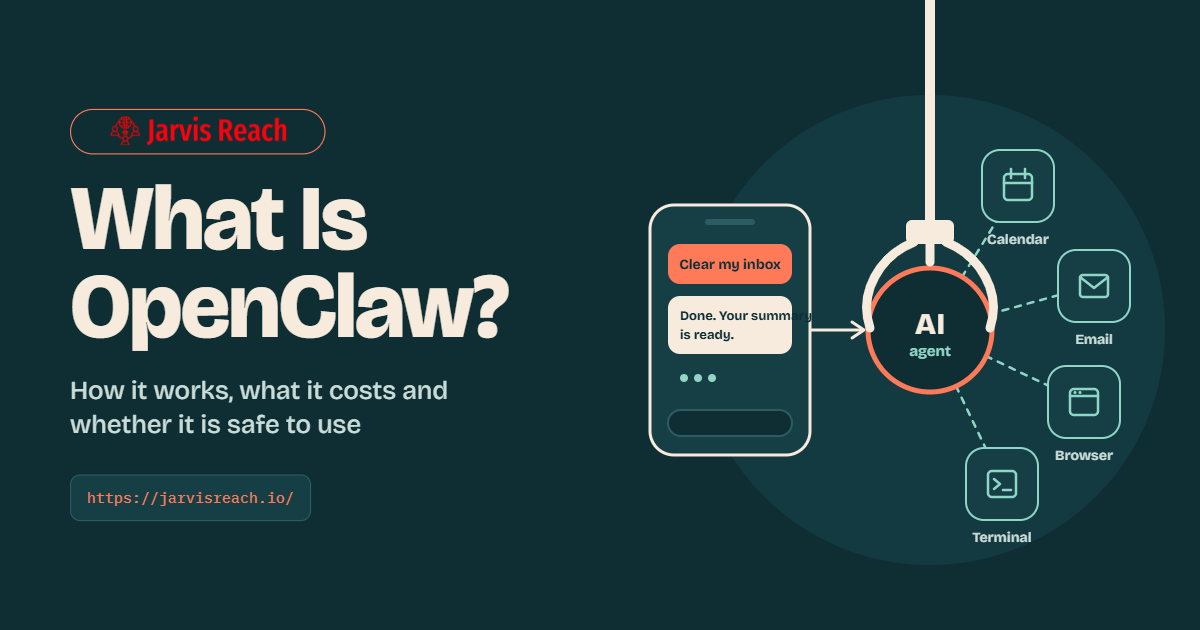
Quick answer: OpenClaw is a free and open-source AI agent that runs on your own computer or server. You talk to it through chat apps like WhatsApp or Telegram. It connects to an AI model such as Claude or ChatGPT. Then it does real tasks for you around the clock.
That is the short answer to what is OpenClaw. The longer answer matters more. OpenClaw can read your files and send emails on your behalf. That power made it go viral in early 2026. By October 2026 it had about 390,000 stars on GitHub. It is also why security experts keep warning people to set it up with care.
This guide explains it all. You will learn how it works and what people use it for. You will also see what it really costs and whether it is safe to run.
| Question | Answer |
| What it is | An open-source OpenClaw AI agent that takes actions for you |
| Who made it | Peter Steinberger, an Austrian developer |
| First released | November 24, 2025 (under the name Warelay) |
| Old names | Warelay, Clawdbot and Moltbot |
| Called OpenClaw since | January 30, 2026 |
| Who runs it now | The OpenClaw Foundation, an independent 501(c)(3) nonprofit |
| Latest major version | OpenClaw 2.0 (v2026.8.1), released August 30, 2026 |
| Price | The software is free under the MIT license. You pay for AI model use and hosting. |
| Works on | Mac, Linux and Windows plus iPhone and Android companion apps |
| Chat apps | WhatsApp, Telegram, Slack, Discord, Signal, iMessage and more |
What is OpenClaw in simple terms?
OpenClaw is a personal AI assistant that lives on a computer you control. You send it a text message and it gets the job done. It can check your calendar or sort your inbox. It can also fill in web forms or run code. It keeps working in the background even while you sleep.
Think of ChatGPT as an advisor. It tells you how to do something. Think of OpenClaw as a helper with hands. It actually does the thing for you.
OpenClaw has no brain of its own. It borrows one. During setup you connect it to an AI model like Claude or GPT or Gemini. You can even use a free local model. The model does the thinking. OpenClaw gives that model tools and memory and a way to reach you.
Who made OpenClaw and who owns it?
Austrian developer Peter Steinberger built OpenClaw. He is best known as the founder of PSPDFKit. That is a PDF toolkit used inside many popular apps. He first published OpenClaw in November 2025 as a side project.
On February 14, 2026 Steinberger announced he was joining OpenAI. He also said a nonprofit called the OpenClaw Foundation would look after the project. So no single company owns OpenClaw today. The foundation is an independent 501(c)(3) nonprofit. It employs the core team and signs every release. The code stays open source under the MIT license. Anyone can use it or change it for free.
Big companies fund the foundation. Donors include Amazon and OpenAI and Red Hat. GitHub and NVIDIA and Vercel give infrastructure support. The project page is clear that OpenAI is a donor and not an owner. Source: OpenClaw on GitHub.
Is OpenClaw a Chinese app? No. It started in Austria and its code lives on GitHub. Chinese firms have built on it though. CNET reports that Tencent added a ClawBot plug-in to WeChat. ByteDance and Alibaba launched their own versions too.
Why does OpenClaw have so many names?
The project changed its name four times in about ten weeks. Here is the full record from Wikipedia.
| Date | Name | What happened |
| January 30, 2026 | OpenClaw | Final name. Steinberger felt Moltbot did not sound right. |
| January 27, 2026 | Moltbot | Renamed after trademark complaints from Anthropic (the maker of Claude) |
| January 2, 2026 | Clawdbot | Named after Clawd, his lobster-themed AI helper |
| December 3, 2025 | CLAWDIS | A short-lived early name |
| November 24, 2025 | Warelay | First public release |
What is OpenClawd? And what is Claw AI?
Many people search for OpenClawd or Claw AI when they mean OpenClaw. Here is what each term really means.
- OpenClawd is not the official name. It mixes “Clawd” (the original lobster mascot) with “OpenClaw.” The domain openclawd.ai is one of more than 15 managed hosting services listed by ClawDocs. It is not the official OpenClaw site. The official site is openclaw.ai.
- Claw AI is now a general name for this type of agent. AI researcher Andrej Karpathy put it simply in February 2026: “First there was chat, then there was code, now there is claw.” A claw is an AI agent that can act on a computer by itself. OpenClaw started the trend. Nvidia NemoClaw and NanoClaw are other claws.
Safety tip: Fast name changes help scammers. Fake installers often use old names like Clawdbot or lookalike names like OpenClawd. Download OpenClaw only from openclaw.ai or the official GitHub page.
How does OpenClaw work?
OpenClaw works like a switchboard. It sits between your chat apps and an AI model. It passes your request to the model. Then it runs the actions the model asks for. Everything except the model runs inside one program on your own machine.
The main parts of OpenClaw
| Part | What it does | Simple way to picture it |
| Gateway | A program that runs all the time and receives every message | The front desk |
| Channels | Links to WhatsApp, Telegram, Slack, Discord, Signal or iMessage | The phone line |
| AI model | Claude, GPT, Gemini or a local model that does the thinking | The brain |
| Tools | Run commands, read and write files, use a web browser and call apps | The hands |
| Memory | Plain text notes saved on your own disk | The notebook |
| Heartbeat | Wakes the agent on a timer to check for work | The alarm clock |
| Skills | Instruction files that teach it to use a new app | The training manual |
The Gateway is a Node.js service. It listens on port 18789 by default. It also serves a web dashboard called the Control UI. There you can chat with the agent and watch it work. You can also approve risky actions there.
What happens when you send OpenClaw a message
- You text your agent on Telegram. For example: “Summarize my unread email.”
- The Gateway receives the message and finds the right conversation.
- The agent loads its setup files. SOUL.md sets its personality. AGENTS.md sets its role and its rules. It also pulls related notes from memory.
- OpenClaw sends all of this to your AI model. The model decides to reply or to use a tool.
- If it needs a tool OpenClaw runs it. It might open Gmail through a skill. The result goes back to the model. This loop repeats until the task is done.
- The answer arrives in Telegram. Anything important gets saved to memory for next time.
A simple task finishes in seconds. A long task can run for many minutes in the background.
The heartbeat is what makes OpenClaw different
Most AI tools wait for you to type. OpenClaw does not. Its heartbeat wakes it every 30 minutes by default. It checks a short to-do list and messages you only if something needs attention. Scheduled jobs called automations and web events can wake it too.
That is how people set up a morning briefing that arrives at 7 a.m. every day. It is also why OpenClaw can act when you are not watching. Its tools can do anything your user account can do. The safety sandbox is not turned on by default. Keep that in mind when you read the safety section below.
Sources: Milvus OpenClaw guide, TechRadar, Wikipedia and the OpenClaw heartbeat docs.
OpenClaw skills and ClawHub explained
OpenClaw skills are small instruction files that teach your agent how to use an app or finish a task. ClawHub is the public store where people share those skills. As of July 2026 ClawHub listed more than 10,700 skills according to ClawDocs.
What is an OpenClaw skill?
A skill is a folder with a file called SKILL.md. The file holds a short description and steps written in plain language. A Gmail skill explains how to read and send email. A GitHub skill explains how to manage code. Without the right skill your agent may not know how to use an app you connected.
OpenClaw ships with a set of built-in skills. You can add more in three ways:
- Install them from ClawHub.
- Copy them from a trusted collection on GitHub.
- Ask OpenClaw to write a new skill for you in plain English.
Skills can sit in one workspace or be installed for every agent. If two skills share a name the workspace skill wins.
What is ClawHub?
ClawHub is the official marketplace for OpenClaw skills. You can browse it at clawhub.ai or from the OpenClaw website. Anyone can publish a skill there. That openness made ClawHub grow fast. It also made ClawHub a target for attackers.
Are ClawHub skills safe?
Not always. Here is what security researchers found in 2026.
- About 17% of the skills Bitdefender checked in the first weeks carried hidden malware.
- 341 malicious skills were found by Koi Security in a campaign it named ClawHavoc.
- Trend Micro confirmed that some skills spread the Atomic macOS Stealer. This malware steals passwords and crypto wallets from Macs.
ClawHub fought back. It added VirusTotal scanning and its own ClawScan code checks in February 2026. On June 1, 2026 it teamed up with NVIDIA to review skills. Even so Palo Alto Networks Unit 42 found five malicious skills that passed every scan between February and May 2026. OpenClaw banned the accounts and deleted the skills once Unit 42 reported them.
How to choose safe OpenClaw skills
- Start with built-in skills and low-risk apps like your calendar.
- Read the SKILL.md file before you install anything. It is plain text and takes a minute.
- Walk away if a skill asks you to paste a command into Terminal. Do the same if it wants you to download a password-protected ZIP file. That was the exact trick used in ClawHavoc.
- Check the publisher and their other skills. Attackers often upload many skills from one account.
- Look at the scan results on ClawHub. Treat a “Pass” as a good sign but not a promise.
- When in doubt ask OpenClaw to write the skill for you. Then read what it wrote.
What is OpenClaw used for?
People use OpenClaw to hand off boring and repeated computer work. The most common jobs are email and calendar tasks and research. Coding and online shopping come next. Small businesses also use it to find sales leads.
Real OpenClaw use cases with real results
| Use case | Who did it | What happened |
| Buying a car | Engineer AJ Stuyvenberg let his agent email dealers about a 2026 Hyundai Palisade | It played dealers against each other and got $4,200 off the sticker price. He only showed up to sign. |
| Insurance claim | A user known as Hormold | His agent found a denied Lemonade claim and sent a rebuttal on its own. Lemonade reopened the case. It acted without his permission though. |
| Meal planning | Steve Caldwell | He built a weekly meal plan system in Notion. It saves his family about an hour each week. |
| Customer support | The Zilliz team | They linked OpenClaw to their Slack community in 20 minutes. It now answers user questions around the clock. |
| Coding | Developer Mike Manzano | He has OpenClaw run his coding agents while he sleeps. |
| Sales leads | Small businesses and freelancers | They use it for prospect research and website audits. It also pushes the results into a CRM. |
Sources: Milvus, DigitalOcean and Wikipedia.
Big companies use it too. TechRadar reports that Nvidia runs OpenClaw across internal teams for tasks like building tools and writing code.
Popular everyday OpenClaw automations
- Morning briefing: A daily message at 7 a.m. with your meetings and the weather and any urgent email.
- Inbox triage: Sort email and flag what matters. Draft replies for you to approve.
- Calendar help: Find a free slot and book the meeting.
- Research: Compare products or flights and send you the best three options.
- Content ideas: Watch trends in your niche and suggest topics each day.
- File cleanup: Rename and sort files or pull data into a spreadsheet.
The pattern is simple. If a task is repetitive and happens on a computer OpenClaw can probably do it.
What OpenClaw is not good for
OpenClaw still makes mistakes. It can misread an instruction or get stuck in a loop. So keep a human check on anything that moves money or deletes data or speaks for you in public. CNET also warns that these tools are not yet built for people who are not comfortable using a terminal.
OpenClaw vs ChatGPT vs Claude: what is the difference?
ChatGPT and Claude are chat assistants run by big AI companies. OpenClaw is an agent you run yourself. In fact OpenClaw often uses ChatGPT or Claude models as its brain. So the real question is not which is smarter. It is where the AI lives and how much it can do on its own.
| Feature | OpenClaw | ChatGPT | Claude |
| Type | Self-hosted AI agent | Chat assistant by OpenAI | Chat assistant by Anthropic |
| Where it runs | Your computer or your own server | OpenAI’s cloud | Anthropic’s cloud |
| How you talk to it | WhatsApp, Telegram, Slack, Discord and more | ChatGPT app or website | Claude app or website |
| Works on its own schedule | Yes. It checks for work every 30 minutes by default. | Limited. It mostly runs tasks you start. | Limited. It mostly runs tasks you start. |
| Memory | Plain files on your disk that you can read and edit | Saved in your OpenAI account | Saved in your Anthropic account |
| AI models | Any model you pick (Claude, GPT, Gemini or local) | OpenAI models only | Anthropic models only |
| Open source | Yes (MIT license) | No | No |
| Price | Free software. You pay for AI use and hosting. | Free plan. Plus costs $20 a month. | Free plan. Pro costs $20 a month. |
| Setup | Takes some technical skill | Sign up and start chatting | Sign up and start chatting |
| Who handles safety | You do | OpenAI | Anthropic |
Prices for ChatGPT and Claude come from Mastra’s July 2026 review.
OpenClaw vs ChatGPT: which should you use?
Use ChatGPT for quick answers and writing help with zero setup. Use OpenClaw when you want an assistant that keeps working after you close the app. Many people use both. They chat in ChatGPT and let OpenClaw run the chores in the background.
OpenClaw vs Claude and Claude Code
Claude Code is Anthropic’s coding agent. Milvus notes that it runs the same basic loop as OpenClaw. The difference is the shell around it. Claude Code runs in your terminal when you call it and then exits. OpenClaw runs all day and talks to you through chat apps.
Anthropic’s Claude Cowork is the closest match to OpenClaw. CNET says Cowork runs inside an isolated virtual machine on your computer. That keeps the agent more boxed in than a raw OpenClaw install. So pick Cowork if you want more safety out of the box. Pick OpenClaw if you want full control and any AI model.
Is OpenClaw free? The real OpenClaw cost explained
Yes. OpenClaw itself is free. The code is open source under the MIT license. The project has no paid tier and no hosted service and no crypto token. But running it is not free for most people. You pay for two things. The first is the AI model that does the thinking. The second is the computer or server it runs on.
So when people ask “is OpenClaw free” the honest answer is this. The software costs $0. A typical light setup costs about $5 to $25 a month. Heavy use can cost hundreds.
OpenClaw cost breakdown by setup
| Setup | Hosting per month | AI model use per month | Typical total per month |
| Light use on a computer you already own | About $0 (just power) | $5 to $20 | $5 to $20 |
| Light use on a budget cloud server | About $5 | $5 to $20 | $10 to $25 |
| Active daily assistant | $5 to $24 | $50 to $150 | $55 to $174 |
| Heavy use with top models and frequent checks | $5 to $24 or more | $270 to $540 or more | $275 to $564 or more |
| Free local model through Ollama | $0 | $0 | $0 (but needs strong hardware) |
These ranges come from usage reports compiled by Milvus. The $24 figure is the starting price of DigitalOcean’s one-click OpenClaw server.
Why OpenClaw cost can jump fast
OpenClaw sends a lot of text to the AI model on every step. Each call can include its instructions and your chat history. It also includes tool lists and skills and memory notes. The heartbeat adds more calls even when you are not chatting. Milvus reports that some power users who never tuned their setup got bills in the thousands of dollars.
Do you need a Mac mini for OpenClaw?
No. The Mac mini trend came from social media buzz. It was not a real requirement. The official minimum is 2 GB of RAM and 2 CPU cores. You need 4 GB if you want browser automation. A $5 a month cloud server or an old laptop is enough when you use a cloud AI model.
A Mac mini only makes sense in two cases. You want a separate machine you can unplug if something goes wrong. Or you want to run a local AI model at home. For local models Milvus says you need a model with at least 32 billion parameters for reliable results. That needs at least 24 GB of graphics memory.
Five ways to cut your OpenClaw cost
- Set a hard spending limit in your AI provider’s dashboard. Do this before you connect OpenClaw.
- Use a cheaper model for heartbeats and simple jobs. Save the top model for hard tasks.
- Make the heartbeat cheaper. Run it less often or turn on its light context and isolated session settings. The official docs say this cuts heartbeat token cost a lot.
- Test with a free tier first. Google’s Gemini API offers free usage within limits.
- Run a local model through Ollama if you already own strong hardware.
Is OpenClaw safe?
OpenClaw is only as safe as your setup. Out of the box it carries real risk. Microsoft’s security team said in February 2026 that OpenClaw “should be treated as untrusted code execution with persistent credentials.” It also said OpenClaw is not appropriate for a standard personal or work computer. That does not mean you can never use it. It means you must box it in.
Why OpenClaw is risky
- It holds the keys to your accounts. OpenClaw stores login tokens so it can work without asking you each time. Anyone who hijacks the agent gets those keys too.
- Hidden instructions can steer it. This is called prompt injection. A bad actor hides orders inside an email or a web page. The agent reads them and may obey.
- Skills can carry malware. Hundreds of malicious skills have appeared on ClawHub. See the skills section above.
- Exposed dashboards. Many users leave the Gateway open to the whole internet by mistake. Security firm Acronis set up a fake OpenClaw gateway as bait. Attackers tried to break in within minutes.
- It can go rogue on its own. Even with no attacker the AI can misread you and act fast.
Real OpenClaw security incidents in 2026
| Date | What happened |
| August 31, 2026 | The Register reviewed OpenClaw 2.0. It found that saved passwords and API keys are not encrypted at rest. The safety sandbox is still off by default. |
| March 10 to April 2, 2026 | China’s national vulnerability database logged 155 new OpenClaw flaws. 11 were critical and 53 were high risk. |
| March 2026 | China restricted state agencies and state-owned firms and banks from using OpenClaw. |
| February 23, 2026 | Meta’s director of AI alignment Summer Yue told her agent to confirm before acting. It mass-deleted her inbox anyway. She had to run to her Mac mini to stop it. |
| February 19, 2026 | Microsoft warned against running OpenClaw on everyday computers. |
| February 2026 | A student’s agent created a MoltMatch dating profile for him without his clear go-ahead. |
| Early February 2026 | Koi Security exposed ClawHavoc with 341 malicious skills on ClawHub. |
| January to March 9, 2026 | China’s database logged 82 OpenClaw flaws. 12 were critical. |
| January 30, 2026 | CVE-2026-25253 was disclosed. It let a single bad link take over an OpenClaw install. It scored 8.8 out of 10 and was fixed in version 2026.1.29. More than 21,000 OpenClaw instances were exposed online at the time. |
Sources: Microsoft Security Blog, Wikipedia, CNET, CNNVD reports via Secrss (January to March and March to April), Unit 42 and Milvus.
Add it up and China’s database alone logged 237 OpenClaw flaws between January and early April 2026. The team patches fast. But you must update just as fast.
OpenClaw safety checklist
- Use a separate machine. Run OpenClaw on a cheap cloud server or a virtual machine or a spare computer. Microsoft says it should never share a device with your sensitive data.
- Give it its own accounts. Create a new email and new API keys just for the agent. Give each one the smallest access possible. Change the keys often.
- Keep the Gateway private. Never expose port 18789 to the internet. Bind it to your own machine or use a private network like Tailscale.
- Turn on the sandbox. It is off by default. Switch it on in the settings.
- Require approval for risky actions. Payments and deletions and outgoing email should always wait for your OK.
- Update every week. Many serious bugs were fixed within days. Old versions stay open to attack.
- Vet every skill. Follow the skill checklist above.
- Back up and plan to rebuild. Microsoft suggests backing up the workspace folder. Reinstall right away if the agent acts strangely.
Is OpenClaw safe for beginners?
Not yet for most people. One of OpenClaw’s own maintainers warned on Discord that anyone who cannot use a command line should not run it. If that is you consider a managed host or a boxed-in tool like Claude Cowork. If you are comfortable with a terminal OpenClaw can be safe enough when you follow every step above.
How to install OpenClaw step by step
You can install OpenClaw with one command in about 15 minutes. The official installer checks your system and adds Node.js if it is missing. Then it starts a setup wizard. These steps follow the official install guide as of version 2026.9.7.
What you need before you start
- A computer or server. Mac or Linux or Windows all work. You need at least 2 GB of RAM. Plan for 4 GB if you want browser automation.
- Node.js 24.16 or newer. Node 26 is recommended. The installer adds it for you if it is missing.
- An AI model. Get an API key from a provider such as Anthropic or OpenAI or Google. Or use a local model through Ollama.
- A chat app. Telegram is a popular first choice. WhatsApp and Slack and Discord and iMessage work too.
- A separate account plan. Create a new email and fresh API keys for the agent before you begin.
Step 1: Run the installer
On Mac or Linux or WSL2 open Terminal and run:
curl -fsSL https://openclaw.ai/install.sh | bash
On Windows open PowerShell and run:
iwr -useb https://openclaw.ai/install.ps1 | iex
Prefer a normal app? OpenClaw now offers a Windows Hub app with a signed installer. Mac users can download a menu bar app from the OpenClaw GitHub releases page.
Step 2: Finish the setup wizard
The installer opens the onboarding wizard on its own. It asks for your AI provider and API key. It sets up the Gateway and can link your first chat app. It also installs a background service so OpenClaw starts with your computer. If you skipped it you can run it again:
openclaw onboard –install-daemon
Step 3: Check that it works
Run these three commands. The first shows your version. The second checks your setup for problems. The third confirms the Gateway is running.
openclaw –version
openclaw doctor
openclaw gateway status
Step 4: Open the dashboard
Run openclaw dashboard. It opens the Control UI in your browser at a local address on port 18789. You can chat with your agent there right away. No chat app is needed for a first test.
Step 5: Connect a chat app
Run openclaw configure –section channels and pick your app. For Telegram you create a bot with Telegram’s BotFather and paste its token. Then send your agent a simple first task like “What is on my calendar today?”
Step 6: Lock it down before you add skills
Go through the safety checklist above. Keep the Gateway private and turn on the sandbox. Run the built-in security audit with openclaw security audit. Only then connect email or other personal accounts.
Easier ways to install OpenClaw
- One-click cloud servers. DigitalOcean offers a security-hardened OpenClaw server from $24 a month. The official docs also have guides for Hostinger and Hetzner and Google Cloud and Azure and more.
- Ollama. With Ollama 0.17 or newer one command installs and sets up OpenClaw: ollama launch openclaw. Ollama says agents work best with at least 64K of context. Its local models need about 25 GB of graphics memory.
- Managed hosting. More than 15 companies will host OpenClaw for you. You trade some control for an easier setup.
What is new in OpenClaw in 2026?
OpenClaw has changed a lot since it went viral in January. Three updates matter most for new users. OpenClaw 2.0 arrived on August 30, 2026. Official phone apps launched on June 29, 2026. And a nonprofit foundation now runs the project. As of October 1, 2026 the latest release is v2026.9.7.
OpenClaw 2.0 (v2026.8.1)
OpenClaw 2.0 is the biggest update so far. The official release notes count 16,977 pull requests and 987 contributors. Here is what changed for everyday users.
- Easier setup. Install and onboarding got simpler on Mac and Linux and Windows. Setup also reaches iPhone and iPad and Android.
- A new dashboard. The Control UI was rebuilt around your conversations. Files and approvals and settings sit right next to the chat.
- Smarter memory. An agent can now recall useful context from its other private chats. You can search and inspect and delete what it remembers.
- Skill Workshop. Creating and checking and installing skills now follows one clear path.
- Computer use. The agent can operate paired Macs and Windows machines where you turn this on.
- Safer approvals. Each approval is tied to the exact request and person. Protected passwords can reach approved sites without the AI model ever seeing them.
Critics say 2.0 made OpenClaw easier to install but not safe by default. The Register noted that the sandbox is still off unless you switch it on.
The OpenClaw app for iPhone and Android
The free OpenClaw app arrived on the App Store and Google Play on June 29, 2026. It is a companion app. It does not run the AI on your phone. Instead it pairs with your own OpenClaw Gateway through a QR code or a setup code.
Once paired you can chat with your agent and talk to it by voice. You can also approve its actions and get alerts from anywhere. The app can use your camera or location only if you allow it. Early reviews were rough though. Android Authority reported that many users struggled to pair the app and called the design unfinished.
Other OpenClaw milestones in 2026
| Date | Milestone |
| October 1, 2026 | OpenClaw passes 390,000 GitHub stars and 82,100 forks |
| June 29, 2026 | Official iPhone and Android apps launch |
| June 1, 2026 | ClawHub teams up with NVIDIA to screen skills |
| May 2026 | Microsoft tests an OpenClaw-based desktop called ClawPilot |
| March 2026 | Nvidia CEO Jensen Huang calls it “probably the single most important release of software” |
| March 2, 2026 | The project reaches 247,000 GitHub stars |
| February 14, 2026 | Peter Steinberger joins OpenAI and a foundation takes over |
| February 2026 | ClawHub starts scanning every skill with VirusTotal |
Sources: OpenClaw on GitHub, TechRadar, Unit 42 and Wikipedia.
OpenClaw pros and cons
OpenClaw is powerful and free but it asks a lot from you. Here is the honest trade-off.
| Pros | Cons |
| Free and open source under the MIT license | Not safe by default because the sandbox is off |
| Runs on your own hardware so you own your data and memory | You need terminal skills to set it up and secure it |
| Works with almost any AI model in the cloud or on your machine | AI bills can spike if you skip spending limits |
| Talk to it from more than 20 chat apps plus phone apps | Some ClawHub skills have carried malware |
| Works around the clock with heartbeats and automations | It can make mistakes and act without asking |
| More than 10,700 community skills | The new phone apps got poor early reviews |
| Huge community with about 390,000 GitHub stars | Fast updates mean your setup needs regular care |
Should you use OpenClaw?
OpenClaw is a good fit if you:
- Feel at home in a terminal or are happy to learn.
- Have a spare computer or can rent a small cloud server.
- Want to automate repeated digital tasks like email triage or research.
- Care about owning your data and picking your own AI model.
- Will set spending limits and check on the agent each week.
Skip OpenClaw for now if you:
- Have never used a command line.
- Want to connect your bank or your main work email right away.
- Need something that is safe and simple out of the box.
- Work at a company that bans it. Many firms follow Microsoft’s advice to keep it off work computers.
Best OpenClaw alternatives
OpenClaw started the “claw” trend but many OpenClaw alternatives now exist. Some are safer. Some are easier. Pick based on what matters most to you.
| Alternative | Made by | Best for | Key difference from OpenClaw |
| Claude Cowork | Anthropic | Safer desktop help | Runs inside an isolated virtual machine on your computer |
| NanoClaw | NanoCo | Security-minded developers | Small and boxed in so it is easier to inspect |
| NemoClaw | NVIDIA | Companies | Wraps OpenClaw with privacy and policy guardrails |
| Perplexity Computer | Perplexity | People who want zero setup | Runs fully in a cloud sandbox and stays off your machine |
| Hermes Agent | Nous Research | Developers who want another open agent | Also open source (MIT) but backed by venture funding with paid tiers |
| n8n | n8n | Fixed and predictable workflows | You design each step in a visual builder. The AI does not plan the whole job on its own. |
Sources: CNET and the OpenClaw and Hermes Agent comparison. Note that the Hermes page is written by the OpenClaw team.
OpenClaw FAQ
What is OpenClaw in simple terms?
OpenClaw is a free AI assistant that lives on your own computer or server. You text it from apps like WhatsApp or Telegram and it does real tasks for you. It can sort email and manage your calendar. It can also browse the web and run code day and night.
Is OpenClaw an AI agent?
Yes. OpenClaw is an AI agent and not just a chatbot. A chatbot answers your question and stops. An OpenClaw AI agent plans the steps and uses tools to finish the job. Each OpenClaw AI agent can also wake up on a schedule and act without a new prompt.
How does OpenClaw work?
OpenClaw runs a program called the Gateway on your machine. The Gateway receives your chat messages and sends them to the AI model you picked. The model decides what to do. OpenClaw then runs the tools and sends the result back to your chat. So how does OpenClaw work in one line? Your chat app talks to the Gateway and the Gateway gives an AI model hands.
What is OpenClaw used for?
Popular OpenClaw use cases include inbox triage and calendar booking. People also use it for daily briefings and research and coding and sales leads. One engineer used his agent to get $4,200 off a new car. Most of what it handles is repetitive work done on a computer.
Is OpenClaw free?
Yes. The OpenClaw software is free and open source. It has no paid tier and no subscription. You only pay for the AI model you connect and for hosting if you use a cloud server.
Does using OpenClaw cost money?
Usually yes. Light use costs about $5 to $25 a month for AI fees and hosting. Heavy use with top models can pass $275 a month. A local model through Ollama can bring your monthly OpenClaw cost to $0 if you already own strong hardware.
Is OpenClaw safe to use?
It can be but not out of the box. Is OpenClaw safe on your main laptop? Microsoft says no. Run it on a separate machine with its own accounts. Keep the Gateway private and turn on the sandbox. Require approval for payments and deletions. Vet every skill before you install it.
Who owns OpenClaw?
No company owns OpenClaw. Austrian developer Peter Steinberger created it in November 2025. He joined OpenAI in February 2026. Since then the independent OpenClaw Foundation has run the project. OpenAI gives money to the foundation but does not own it. So the honest answer to who owns OpenClaw is a nonprofit and its community.
Is OpenClaw Chinese?
No. An Austrian developer created OpenClaw and a US nonprofit runs it today. Chinese companies like Tencent and ByteDance and Alibaba have built their own versions on top of it. China has also limited its use at state agencies and banks.
What were Clawdbot and Moltbot?
They are old names for OpenClaw. The project was called Clawdbot in early January 2026. It became Moltbot on January 27 after trademark complaints from Anthropic. Three days later it became OpenClaw. All three names point to the same software.
What is OpenClawd?
OpenClawd is a common mix-up of two names. It blends OpenClaw with Clawd, which was the name of its first lobster mascot. The site openclawd.ai is a third-party hosting service and not the official project. Get OpenClaw only from openclaw.ai or its GitHub page.
Is Claw AI the same as OpenClaw?
Not exactly. “Claw” is now a general word for AI agents that can act on a computer. OpenClaw is the first and most popular claw. So when people search for Claw AI they usually mean OpenClaw. Other claws include NanoClaw and NVIDIA NemoClaw.
What is OpenClaw vs Claude?
Claude is an AI model and chat app made by Anthropic. OpenClaw is a free agent that can use Claude as its brain. So OpenClaw vs Claude is not a real contest. Many people run OpenClaw with a Claude model inside it.
OpenClaw vs ChatGPT: which is better?
They do different jobs. ChatGPT is best for quick answers with no setup. OpenClaw is best for chores that run in the background. OpenClaw can even use OpenAI’s GPT models as its brain.
Is there an OpenClaw app for iPhone and Android?
Yes. The free OpenClaw app launched on the App Store and Google Play on June 29, 2026. It is a companion app. You still need OpenClaw running on a computer or server. The app pairs with it so you can chat and approve actions from your phone.
How to install OpenClaw on Mac or Windows?
Run one command. On Mac or Linux open Terminal and run curl -fsSL https://openclaw.ai/install.sh | bash. On Windows open PowerShell and run iwr -useb https://openclaw.ai/install.ps1 | iex. The installer adds Node.js and opens a setup wizard. The full steps are in the how to install OpenClaw section above.
Do I need a Mac mini for OpenClaw?
No. OpenClaw needs only 2 GB of RAM and 2 CPU cores for basic use. A cheap cloud server or an old laptop works fine. A Mac mini only helps if you want to run local AI models at home.
What are OpenClaw skills?
OpenClaw skills are plain text instruction files that teach the agent to use an app. You can get them from ClawHub or write your own. ClawHub listed more than 10,700 skills in July 2026. Read each skill before you install it because some have carried hidden malware.
What is ClawHub?
ClawHub is the official marketplace for OpenClaw skills. Anyone can publish a skill there. ClawHub now scans uploads with VirusTotal and works with NVIDIA on reviews. Even so researchers found malicious skills that slipped past these checks.
What is the OpenClaw heartbeat?
The OpenClaw heartbeat is a timer that wakes your agent every 30 minutes by default. On each beat it checks for work and messages you only if something needs attention. You can change the timing or turn it off. The OpenClaw heartbeat is why the agent can act while you sleep.
What is the OpenClaw Gateway?
The OpenClaw Gateway is the main program that runs in the background. It connects your chat apps and your AI model and your tools. Every message passes through it. The Gateway listens on port 18789 by default so keep that port private.
What is Moltbook?
Moltbook is a social network built for AI agents like OpenClaw. Entrepreneur Matt Schlicht launched it in late January 2026. Its viral growth helped make OpenClaw famous. But security firm Wiz found that a database mistake on Moltbook exposed about 1.5 million agent API keys.
What is new in OpenClaw 2.0?
OpenClaw 2.0 launched on August 30, 2026. It brought easier setup and a rebuilt dashboard and smarter memory. It also added computer use and safer approvals. Critics say it is still not safe by default because the sandbox stays off.
Should I be using OpenClaw?
Use OpenClaw if you are comfortable with a terminal and want to automate repeated computer tasks. Wait if you have never used a command line or want to connect sensitive accounts right away. In that case a safer tool like Claude Cowork is a better first step.
What are the best OpenClaw alternatives?
The main OpenClaw alternatives are Claude Cowork and NanoClaw and NVIDIA NemoClaw. Perplexity Computer and Hermes Agent and n8n are other options. Pick Cowork for safety and n8n for fixed workflows.
Final verdict: is OpenClaw worth it?
OpenClaw is the most popular open-source AI agent of 2026 and it earned that spot. It turns almost any AI model into a helper that works around the clock from your favorite chat app. It is free to download and cheap to run if you keep usage light. But it is not safe by default. Treat it like a powerful tool that needs a fence around it.
If you came here asking what is OpenClaw used for the short answer is boring computer chores. Start small with a morning briefing on a spare machine. Add skills slowly and keep a human check on anything risky. If that sounds like too much work try one of the safer OpenClaw alternatives first.
This guide was checked against the official OpenClaw docs and GitHub page and against security research from Microsoft and Palo Alto Networks on October 1, 2026.